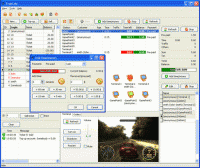
Friendly cyber cafe software with a complete set of features for cyber cafe management: wi-fi billing, thin clients support, tickets, license keys, pre-paid and post-paid sessions, point-of-sale, a terminal protection, print charging, reports, etc.
Friendly cyber cafe software with a complete set of features for cyber cafe management: wi-fi billing, thin clients support (NComputing, Windows Terminal Server), tickets, license keys, pre-paid and post-paid sessions, point-of-sale, a terminal protection, print charging, URL log and traffic calcuation, reports, etc. Charge the customers of your cafe, club, shop, hotel, etc. when they use your Wi-Fi hotspot from their Wi-Fi laptops. Cut down your game licensing expenses using the license key (CD-key) management system. Automatically charge your customers for monochrome and colour printing. Organize a chat between operator and customers. Browse a terminal screenshot, task manager and volume control. Sell items to walk-in customers. Make your unique receipt design. Use TrueCafe Client software to lock cyber cafe terminals and display customer session info. Remotely turn on, shutdown or restart terminals, start or terminate any application on a terminal, configure a list of applications that a user can start. Allow a customer to order items from a terminal. Setup any imaginable pricing model. Analyze your business data using TrueCafe Reports. Secure your data and actions providing your customers and employees with different security roles. Easily backup your database and configuration files manually or automatically. Use TrueCafe on Windows Terminal Server or NComputing Server. Calculate Internet traffic for a customer session. Keep track of the Internet websites and pages a customer opens on your cyber cafe terminal.
Requirements:
• VGA monitor
• Mouse
• 32 Mb of RAM
• 5 MB of HDD
• Processor: 100 MHz
Operating system:Windows 2K / XP / XP 64 bit / Vista / Vista 64 bit / 7 / 7 64 bit / 8 / 8 64 bit / 2003 / 2008 / 2008 64 bit / 2008 R2
Limitations:4 client terminals + 3 Wi-Fi connections
Release notes:Major Update

PenyuLAN software for internet cafe operators to monitor PC in cyber cafe. PenyuLAN can perform remote PC monitoring to lock/unlock screen, restart, logoff, shutdown, send warning message, capture screen, check running progres etc.
Price: $0, Rating: 5, Downloads: 112
Download

IDEAL Administration simplifies the administration of your Windows NT, XP, 2000, 2003 and 2008
Price: $399.00, Rating: 0, Downloads: 105
Download

Software for PC Remote Control
Price: $0, Rating: 9, Downloads: 97
Download
ATAF-Web gallery is 100% web-based online picture gallery in a familiar XP design
ATAF-Web gallery is a easy to install online picture gallery, where you can upload and share pictures with other people.
Price: $99.99, Rating: 2.5, Downloads: 91
Download

Netman is high security and user-friendly Remote Control software that is free. You can achieve remote control by inputting partner's IP/ID displayed on the software. It adopts the DSE encrypt mode generally used by banks which is safe and reliable.
Price: $0.00, Rating: 9, Downloads: 83
Download 
 TrueCafe 6.1.1403.21